Which LinkedIn Posts Web Developers Should Target for Profile Views & Engagement
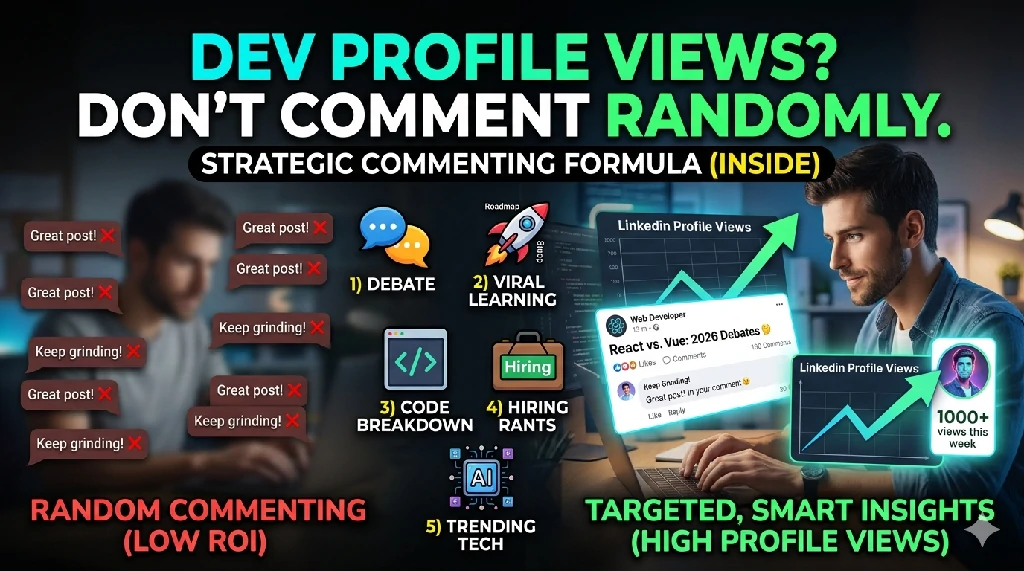
If you’re a web developer, commenting randomly on LinkedIn won’t help. Here are the exact post types that actually drive profile views and engagement.
🚀 Why targeting matters on LinkedIn
If your goal is profile views and meaningful engagement as a web developer, commenting everywhere is a waste of effort.
You need to focus on posts where your input naturally adds value and the audience is active.
1) 💥 Technical debates (highest ROI)
These posts get massive engagement because developers love arguing opinions.
Look for:
- “React vs Vue vs Angular in 2026”
- “Is frontend dead?”
- “AI will replace developers?”
- “Freelancing vs full-time dev”
👉 Why it works: High comment activity + recruiters and devs actively reading threads.
👉 How to comment: Don’t just agree — add insight or nuance.
Example:
“The real issue usually isn’t the framework, it’s state management complexity and architecture decisions.”
2) 📈 Viral learning posts (best for reach)
Look for:
- “I built X in 7 days”
- “10 JavaScript tricks you didn’t know”
- “Full-stack roadmap for beginners”
👉 Why it works: Beginners + junior devs = high curiosity = profile clicks.
👉 How to comment: Add improvement, optimization, or alternative approach.
Example:
“Nice project. You could reduce load time significantly by caching API responses earlier in the flow.”
3) 🧠 Code breakdown / debugging posts (highest trust)
Look for:
- code snippets
- architecture diagrams
- bug fixes
- performance optimization threads
👉 Why it works: Developers respect practical insights → stronger profile credibility.
👉 How to comment: Add edge cases or performance improvements.
Example:
“Good fix. This could also prevent race conditions if you debounce the API call before state update.”
4) 💼 Hiring & job market posts (hidden goldmine)
Look for:
- “Why junior devs can’t get jobs”
- “We are hiring frontend devs”
- “Remote jobs are saturated”
👉 Why it works: Recruiters + founders are reading comments carefully.
👉 How to comment: Be thoughtful, not emotional.
5) 🔥 Trending tech opinions (high visibility)
Look for posts about:
- AI replacing developers
- Next.js vs backend frameworks
- monolith vs microservices
👉 Why it works: These posts get boosted by LinkedIn algorithm due to debate volume.
❌ What NOT to target
- Low engagement posts (0–5 likes)
- Generic motivational content (“Keep grinding 💪”)
- Overcrowded viral comments where you won’t stand out
- Direct self-promotion threads
⚡ Simple rule
Only comment if:
- Post has 50+ likes
- Active comment section
- Technical or controversial topic
🔥 Bonus strategy
Don’t stop at commenting.
👉 Reply to replies under your comment
That’s where:
- algorithm boosts your visibility
- profile clicks increase significantly
- real conversations happen
Related Posts
How to Find Freelance Clients on LinkedIn as a Laravel Developer

Top Web Development Interview Questions (And How to Answer Them Right)
Best Technology to Learn in 2025
How Modern Clinic Management Systems Are Built in 2026

20 Core JavaScript Concepts That Will Instantly Make You a More Confident Developer